

What are Custom Merge Checks?
Custom merge checks extend the standard merge checks by allowing teams to define and enforce custom rules and conditions for pull requests (PRs) before they can be merged. These checks are tailored to meet specific business, security, or workflow requirements that go beyond built-in Bitbucket functionality. https://www.atlassian.com/blog/bitbucket/beta-custom-merge-checks-in-bitbucket-cloud
Our add-on uses Bitbucket’s custom merge checks to provide its functionality, so you’ll need to configure these checks to enable it.
Enable Custom Merge Checks
You can enable the custom merge check either globally in the workspace settings for all repositories, or individually for each repository. (e.g. https://bitbucket.org/<your-workspace>/workspace/settings/merge-checks)

On this page, you will see our check Jira Hooks for Bitbucket, which can be enabled for a specific branch or for all branches. We recommend enabling it for all branches because this allows you to configure rules based on source and destination branch combinations later within the add-on.
Please configure the check for all branches, and if you are using a Bitbucket Premium version, you can also mark this check as Required.
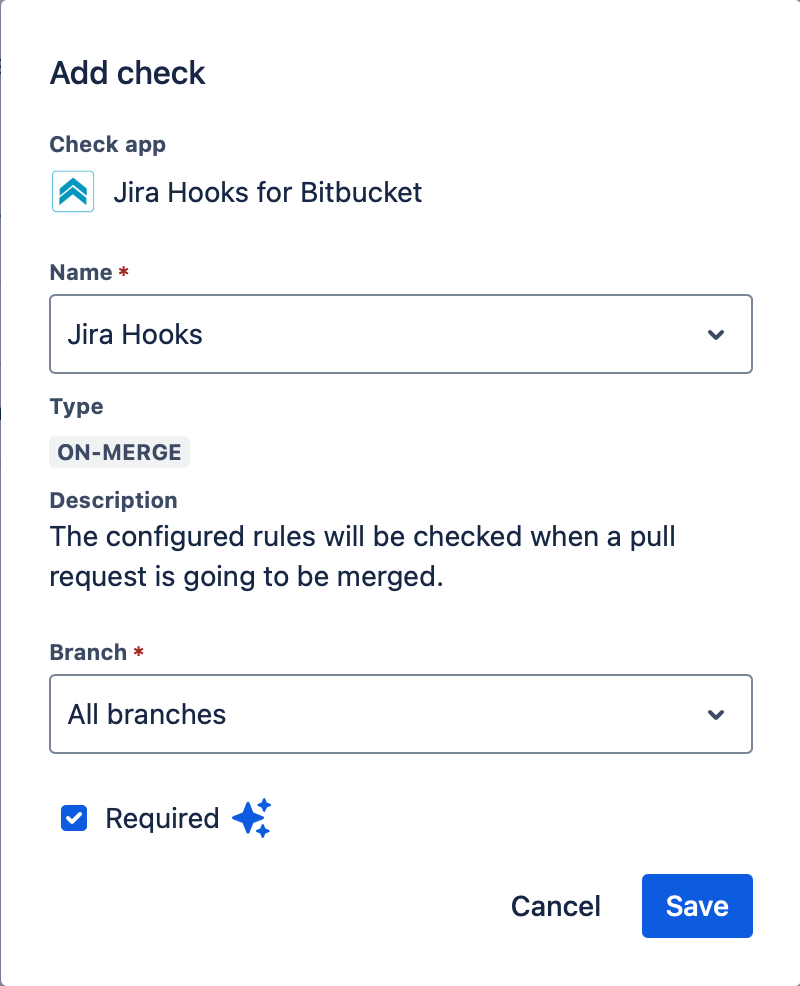
To use Custom Merge Checks in a way that blocks pull requests, you must have a Bitbucket Premium plan.
The app Jira Hooks for Bitbucket cannot override or change this behavior, as it is a limitation set by Atlassian’s licensing model.
For more details, see Atlassian’s official documentation: