

There are two ways to find your Jira Account ID. The first is through your Jira profile, where the Account ID can be seen directly in the browser URL when viewing your profile page. The second option is to retrieve it via the Jira REST API.
Find Your Jira Account ID via Your Profile
-
Open Jira and log in.
-
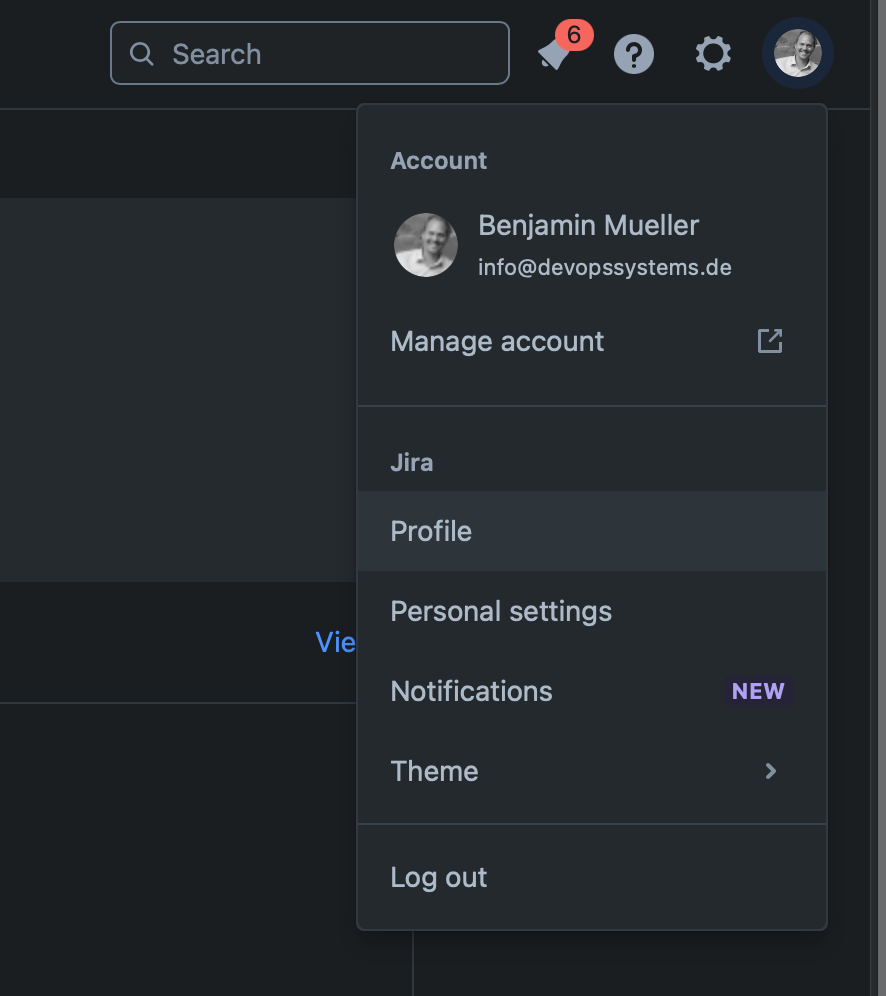
Click on your profile picture in the top right corner and select “View profile”.
-
Your browser’s URL will look something like this:
https://<your-jira-site>/jira/people/xxxxxx:xxxxxxxx-xxxx-xxxx-xxxx-xxxxxxxxxxxx
-
The part after the colon (:) that looks like: xxxxxxxxxxxx-xxxx-xxxx-xxxxxxxxxxxx is your Account ID.
Find Your Jira Account ID via Rest-API
-
Open Jira and log in.
-
Enter the following Rest-API Endpoint: https://<your-jira-site>/rest/api/3/myself in your browser
-
As result you will get the following JSON in your browser
JSON
{
    "self": "https://<your-jira-site>/rest/api/3/user?accountId=xxxxxx:xxxxxxxx-xxxx-xxxx-xxxx-xxxxxxxxxxxx",
    "accountId": "xxxxxx:xxxxxxxx-xxxx-xxxx-xxxx-xxxxxxxxxxxx",
    "accountType": "atlassian",
    "emailAddress": "info@devopssystems.de"
}