

This guide explains how to upgrade Jira Hooks for Bitbucket Cloud to the latest available version.
Before you begin
To perform an upgrade, you must have sufficient Bitbucket workspace administration permissions.
Upgrades are performed directly through the Bitbucket workspace settings and do not require reinstalling the application.
Important
After an upgrade, it may take several minutes until all configurations, templates, rules, and persisted validation data have been fully migrated and become available in the new version.
During this period, some features may temporarily display incomplete data or outdated information. Once the migration has completed, the application will automatically operate with the latest configuration and data set.
For this reason, it is recommended to perform upgrades during a suitable maintenance window or at a time when the application is not actively used. No manual action is required after the upgrade has been initiated.
Open the installed Forge apps
-
Open Bitbucket Workspace Settings.
-
Navigate to Apps and Features.
-
Select Installed Apps.
-
Open the Forge Apps section.
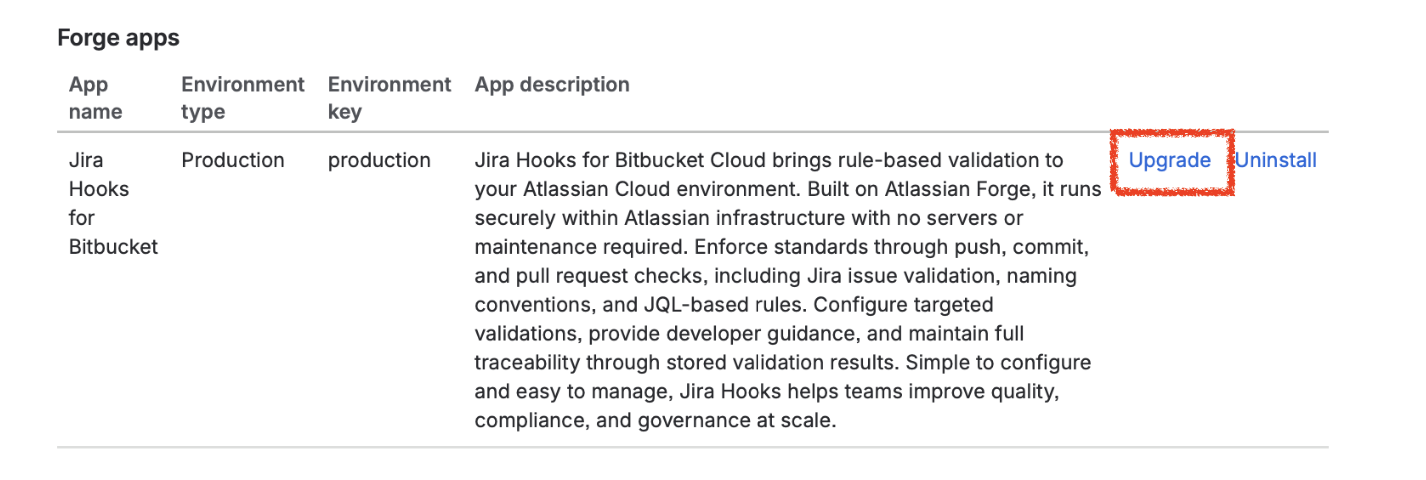
The list displays all installed Forge applications
Upgrade the application
Locate Jira Hooks for Bitbucket in the Forge Apps list.
If a newer version is available, Bitbucket displays an Upgrade action next to the application.
-
Click Upgrade.
-
Confirm the upgrade if needed.
Bitbucket then installs the latest available version of the application.
Key takeaway
Application upgrades are performed directly through Workspace Settings → Apps and Features → Installed Apps → Forge Apps. If a newer version is available, simply select Upgrade next to Jira Hooks for Bitbucket to install the latest release while preserving all existing configuration and validation data.