

Rule templates
Rule templates are predefined rule configurations that can be applied at the workspace level or at the repository level.
They provide reusable starting points for common compliance scenarios and make it easier to adopt standard configurations without creating every rule from scratch. This helps teams roll out proven rule sets faster and with less configuration effort.
Templates can be used as ready-made building blocks and then adapted to fit project-specific workflows where needed.
Available templates
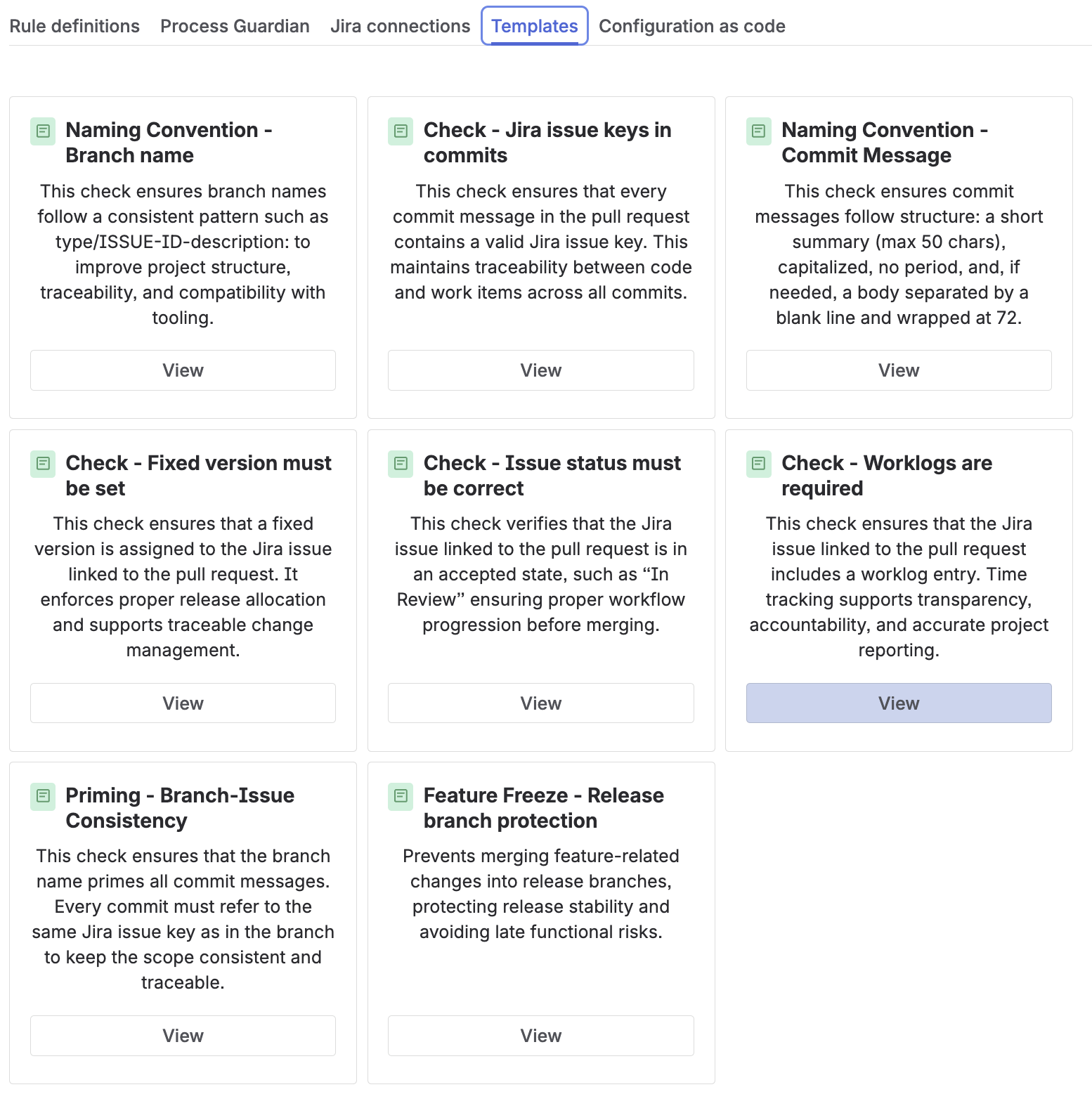
|
Title |
Description |
Typical use cases |
|---|---|---|
|
Feature Freeze |
Protects release branches by preventing feature-related changes from being merged into them. It uses a JQL-based rule to allow only bug-related changes on release branches. |
|
|
Branch-Issue Consistency |
Ensures that the branch name and all commit messages reference the same Jira issue key. This improves traceability and keeps one branch aligned to one work item. |
|
|
Naming Convention - Branch name |
Enforces a structured branch naming pattern based on a defined regex. This improves readability, traceability, and tool compatibility. |
|
|
Jira issue keys in commits |
Ensures that every commit message contains a valid Jira issue key. This strengthens the link between code changes and tracked work items. |
|
|
Naming Convention - Commit Message |
Enforces a consistent commit message structure, including summary formatting and optional body rules. This improves clarity in version history and reviews. |
|
|
Fixed version must be set |
Ensures that the linked Jira issue has a fix version assigned. This supports release planning and traceable release allocation. |
|
|
Issue status must be correct |
Ensures that the linked Jira issue is in an accepted workflow status before the pull request proceeds. This supports proper workflow progression. |
|
|
Worklogs are required |
Ensures that the linked Jira issue contains a worklog entry. This supports transparency, accountability, and project reporting. |
|
How to use templates
In the Templates tab, all available templates are displayed. Templates can be applied at the workspace or repository level, depending on where the resulting rule should be available.
Before creating a rule, a template can optionally be reviewed and customized using the Edit button. This allows teams to adjust settings such as targets, checks, conditions, messages, or triggers before the rule is created.
After a template is applied, the generated rule appears in the rule list and can be further reviewed and modified as needed. This makes templates useful both as ready-to-use best-practice configurations and as starting points for custom compliance requirements.
Key takeaway
Rule templates provide reusable standard configurations for common compliance scenarios and help teams adopt consistent rule setups more quickly.