

A rule defines a compliance policy that is evaluated during specific events in the development workflow.
Each rule represents a single requirement that must be fulfilled for an action, such as a pull request merge, commit or push, to be considered compliant. Rules ensure that changes follow defined standards, support compliance across the entire development process, and maintain traceability throughout the workflow.
Multiple rules can be configured within the same repository or workspace. This makes it possible to model different compliance requirements as separate, focused policies. During evaluation, all relevant rules are considered and contribute to the overall compliance result.
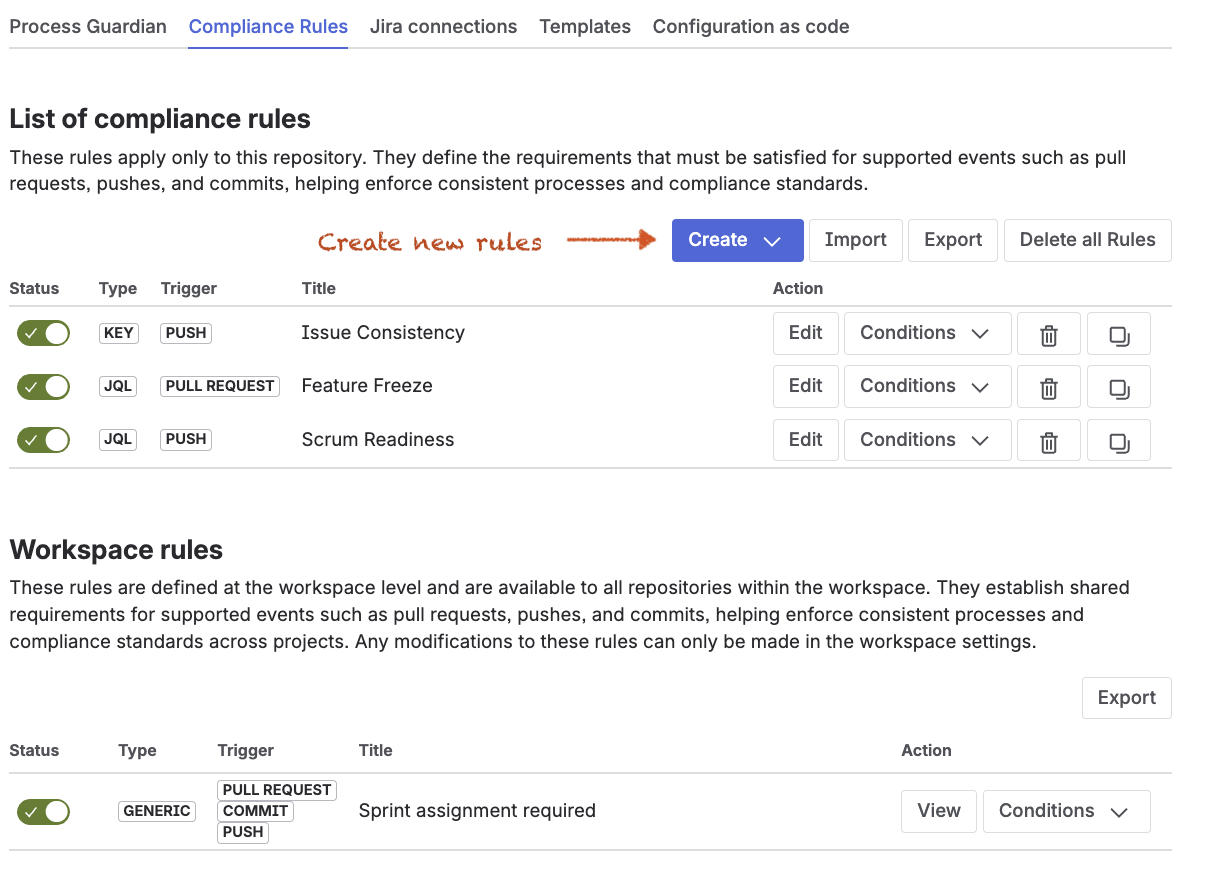
Where can I find the settings?
-
Workspace Settings → Forge → Jira Hooks for Bitbucket → Compliance rules
-
Repository Settings → Forge → Jira Hooks for Bitbucket → Compliance rules
Rule structure
Each rule consists of the following components:
-
Metadata defines the general information and user-facing properties of the rule, such as its title, description, error message, and hint. It also includes settings that control how the rule is identified, presented, and managed in the configuration.
-
Trigger: The trigger defines the event that starts rule evaluation. Supported triggers include Pull Request, Commit, and Push. Pull Request validation is executed within the Bitbucket workflow, while Commit and Push validation are executed through the Validation API, for example by local Git hooks or CI/CD integrations.
-
Target: A target represents a specific location within the development workflow, such as a commit message, a branch name, a pull request title, or a pull request description. When a rule is evaluated, the selected checks are executed against all configured targets.
-
Conditions define whether the rule applies in a specific context. They act as a filter before any validation starts and can restrict a rule based on criteria such as branch patterns, users, groups, content, or pull request properties.
-
Checks define what is validated once the rule applies. They perform the actual compliance validation and verify whether the relevant requirements are fulfilled, for example by checking issue keys, evaluating JQL criteria, or validating naming conventions.
This structure separates applicability from validation and allows flexible rule definitions.
Rule types
Rules can be categorized into different types based on their validation focus. Each rule type represents a specific compliance scenario and is defined by the checks it contains.
This classification helps structure rules in a consistent way and makes it easier to understand their purpose. At the same time, it allows teams to choose between specialized rules for focused validation and generic rules for more complex compliance requirements.
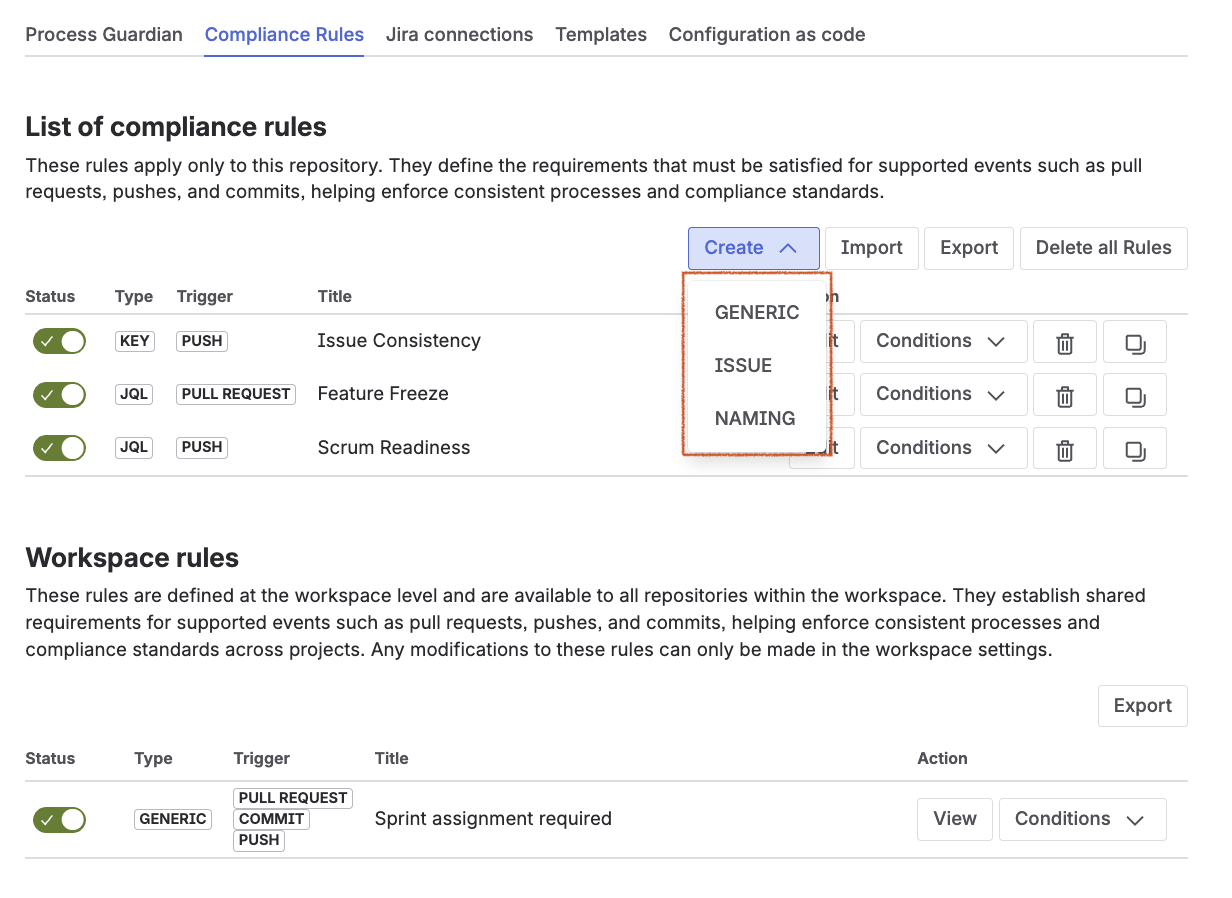
There are four types of rules, each defined by the checks it contains:
|
Rule type |
Description |
|---|---|
|
Issue |
Validates Jira issue references by checking the presence, validity, consistency, and JQL compliance of referenced Jira issues. |
|
Naming |
Based on a naming convention check and validates branch names, commit messages, and pull request content. |
|
Generic |
Combines multiple checks and allows validation across different aspects such as JQL, issue keys, and naming conventions. |
The rule type is created implicitly during configuration. The following screenshot shows how to create a specific rule type:
Location & Inheritance
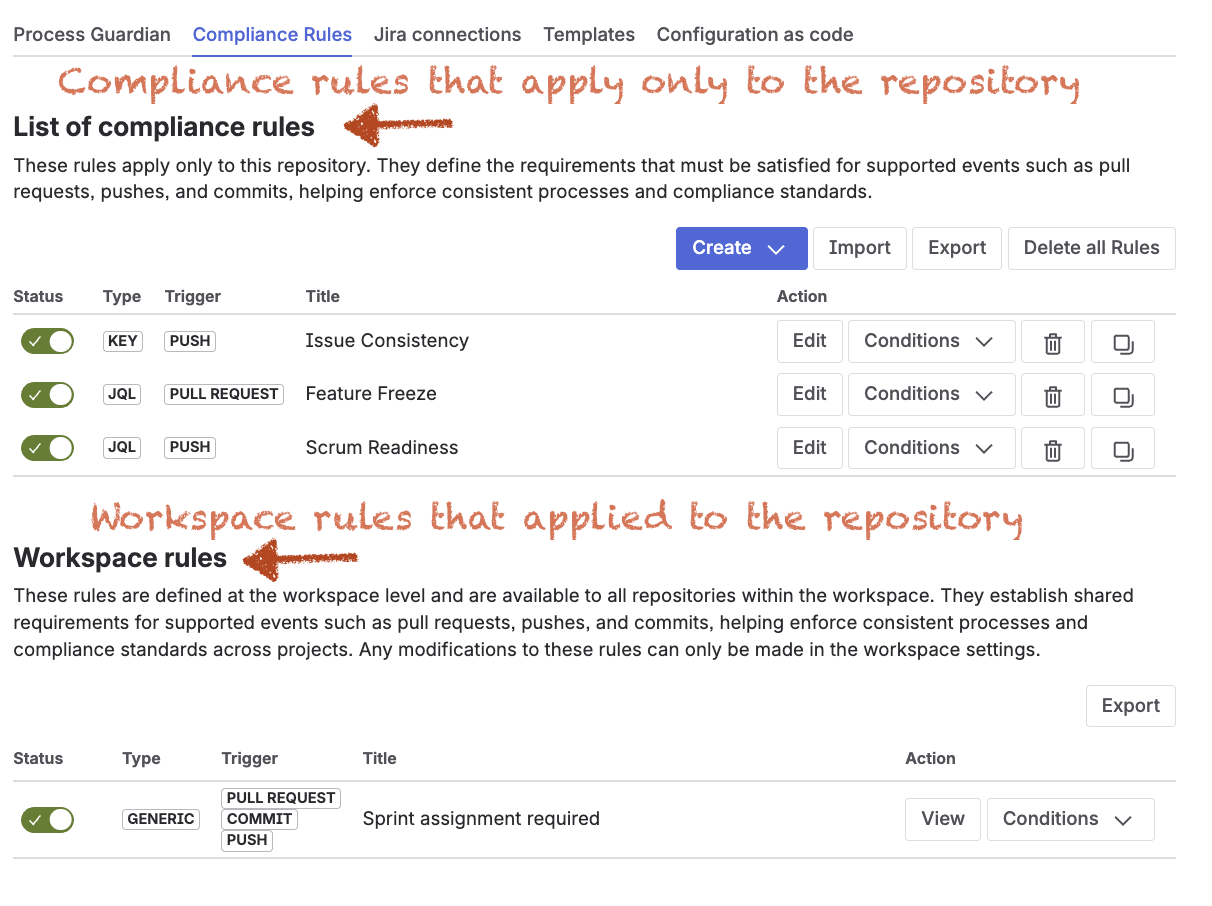
Rules are defined within a hierarchical structure that supports both centralized governance and repository-specific customization. A rule can be created in the workspace settings or in the repository settings. Workspace rules can be reused across multiple repositories, while repository rules apply to a specific repository and allow repository-specific extensions.
-
Workspace rules act as reusable compliance building blocks. They define standardized enterprise policies that can be shared across multiple repositories.
-
Repository rules apply to a specific repository. They can inherit workspace rules and extend them with additional, repository-specific requirements.
Benefits
This approach provides several benefits for organizations that need both standardization and flexibility in their compliance model:
-
Consistency across repositories
-
Reusability of standardized compliance rules
-
Flexibility for repository-specific extensions
-
Improved auditability through shared rule definitions
Key takeaway
A rule defines a single compliance requirement, including when it applies and what it validates.
Next steps
Rules are now configured and active. See how rules affect pull request behavior and influence validation results, reviews, approvals, change requests, and merge decisions throughout the pull request lifecycle.