

Rule validation target
A validation target defines the element on which a rule is executed. When a rule runs, the configured checks are applied to one or more selected targets. Different targets contain different types of information, such as commit messages, branch names, pull request titles, or pull request descriptions.
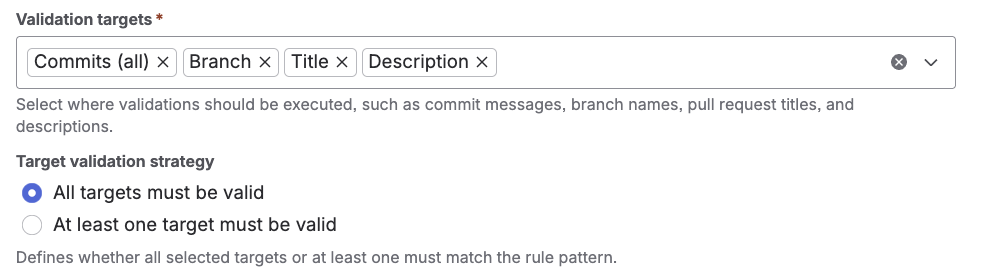
|
Target |
Description |
|---|---|
|
Commits (all) |
Applies the rule to the complete set of commits within the validation scope. All commits are evaluated together as a single validation target. This allows checks to validate information across multiple commits, for example issue key consistency or the presence of at least one valid issue key within the entire commit set. |
|
Commits (at least one) |
Applies the rule to individual commits within the validation scope. Each commit is evaluated independently, allowing checks to validate commit-specific requirements such as naming conventions or issue key presence on a per-commit basis. |
|
Branch |
Validates the branch name. This is typically used to enforce branch naming conventions or verify Jira issue keys in branch names. |
|
Title |
Validates the pull request title. This target is only applicable for pull request validations. |
|
Description |
Validates the pull request description. This target is only applicable for pull request validations. |
|
Changed files |
Validates the files a pull request changes. It is used by the file approval check and is only applicable for pull request validations. Use it in a rule of its own: with further targets and the strategy At least one target must be valid, another valid target lets the pull request be merged without the required approval. |
The following screenshot shows the target Changed files selected:
